
Introduction#
If you need to optimize images, you’ve come to the right place. Did you know that you can save up to 92% on the size of your image files and all this without any loss of quality noticeable to the naked eye?
As developers, we must know the importance of optimizing the images that we use or that will be used by the users of our app.
- A smaller file size will make our website load faster.
- Google takes into account the loading speed of our website to position us, so it is better for SEO.
- If we allow our users to upload images to our website/api, we can save on bandwidth consumed both in the upload and in each download/view.
- As an additional advantage we will save storage space.
Comparison#
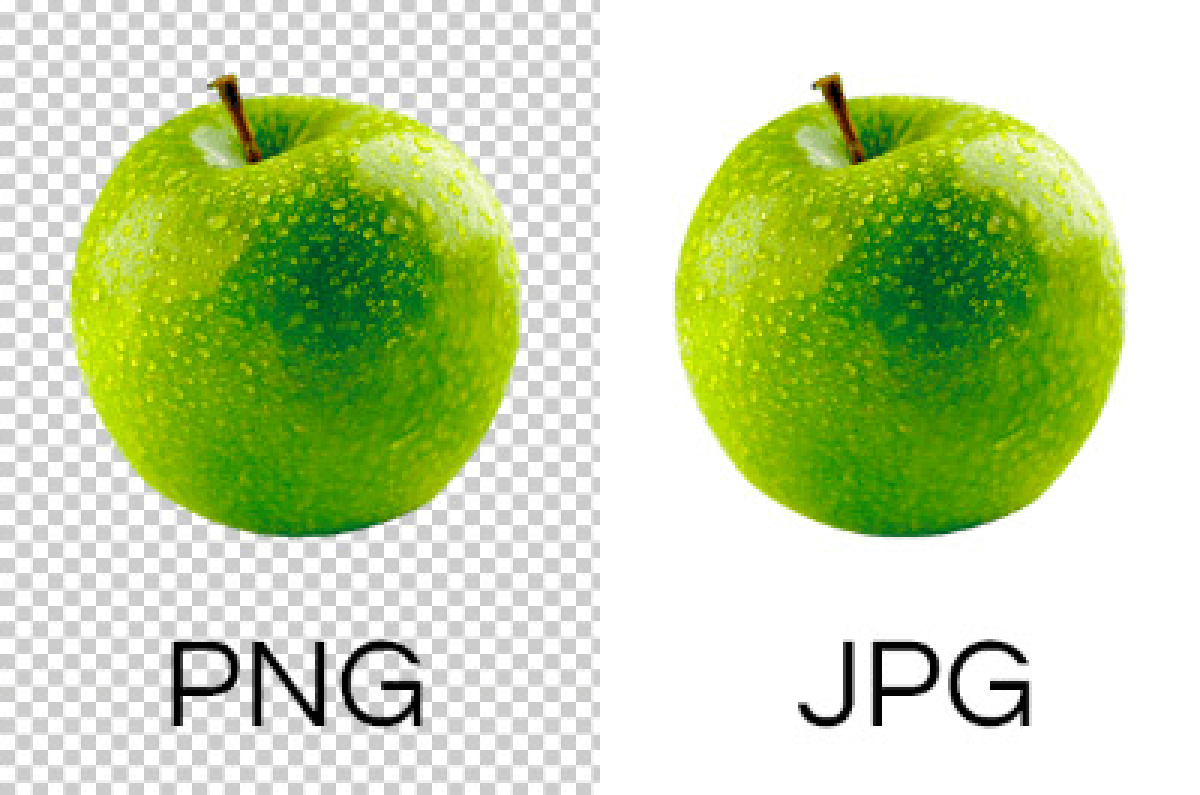
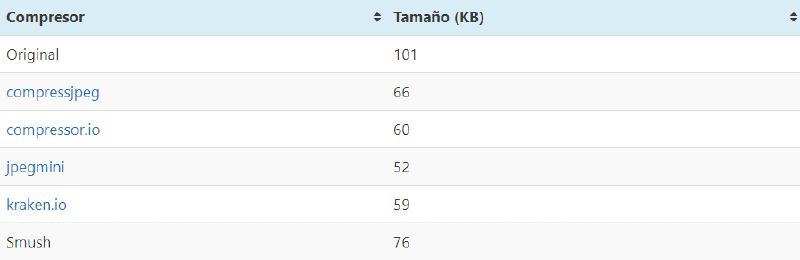
Without further ado, I leave you with a comparison of the various services and Apps of the most common formats, that is, JPG and PNG.
JPG Table
Conclusion#
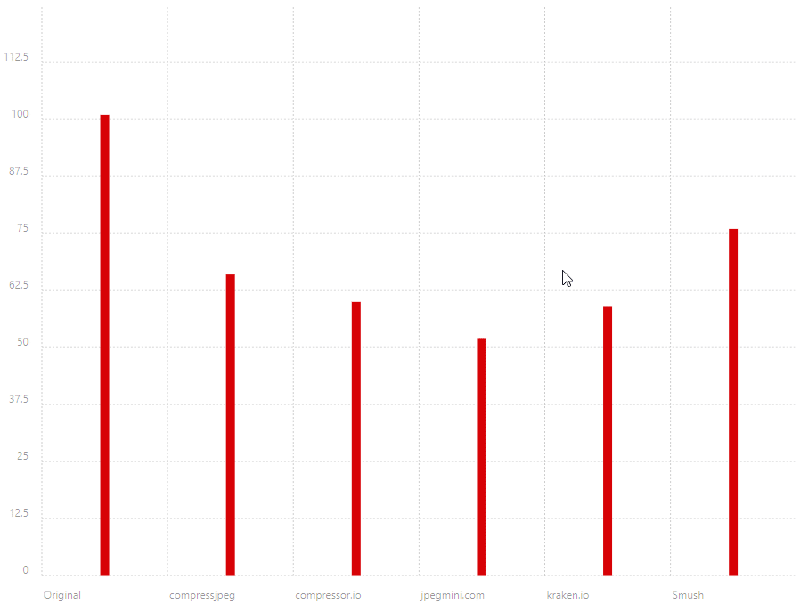
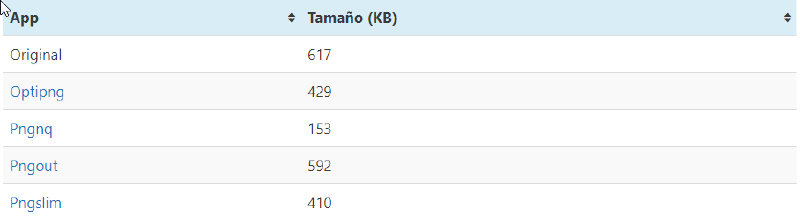
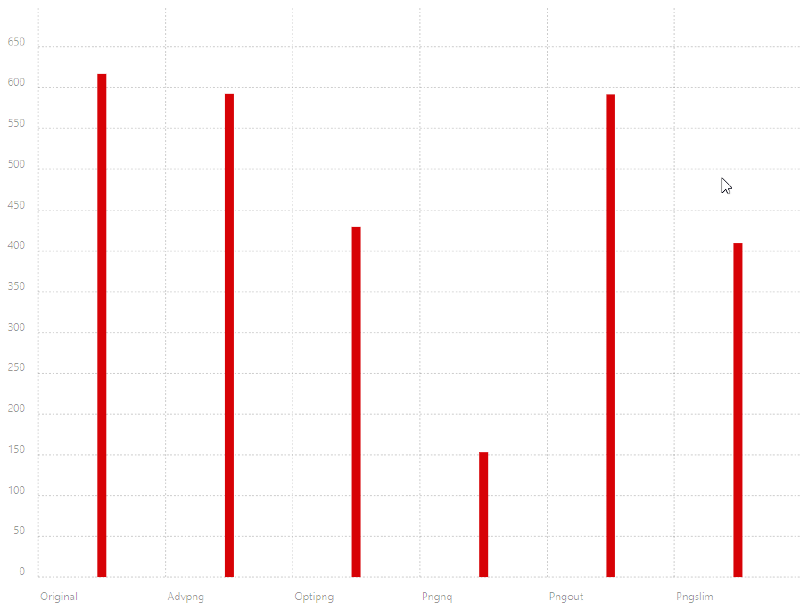
For jpg the best service/app is compressjpeg For PNG the best is Optipng.
The tests have been carried out to obtain a similar image quality. You will probably notice, avid reader, that the savings are considerable but not 92%. To achieve this, you will soon be able to read the post “Webp, that great unknown”
Plugins to optimize images#
Below are some plugins and libraries that can help you in this optimization process, all of them tested and evaluated, in descending order of value contributed.
WordPress#
- Ewww optimizer
- Free, multi-format and allows batch processing.
- TinyPNG
- A tool that is very simple to use
C#.#
- ImageSharp
- The successor library of ImageProcessor, compatible with .Net Core
- Imageprocessor
- The most famous
- Imageoptimizer
- For use in Azure
- Imazen
- For use with JS+C #
If you find it interesting soon I will make a post about webp, another great format for the web, a format not very well known to the average user but that is wonderful if we talk about optimizing images for the web.
If you want to do something nice for others, here is a a way to use your 404 page to find missing people.