
Due to some drivers or bugs in the different operating systems, we can sometimes have problems with the use of this technology. Therefore, here I put a series of common solutions to these problems, made from the server to be turned on.
General#
- Update your operating system
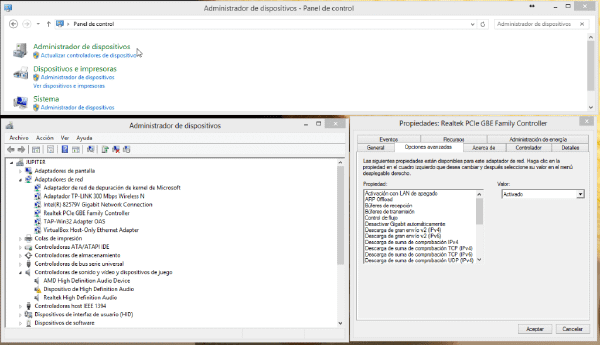
- Update your network card drivers
- Turn off Fast Startup in Windows 10 (Power Options).
- Try disconnecting the LAN or power network for a few seconds before trying to send the “magic packet”
- If you use a different DNS than the default on the server such as Google’s, you can try putting the ones that correspond to your ISP, although this should not affect, certain routers have problems with this.
Linux#
Uninstall/Install network-manager
//perderás tu conectividad wifi
sudo apt-get remove network-manager
//prueba si funciona antes de reinstalarlo
sudo apt-get install network-manager
If you’ve followed another tutorial before removing the $HOME/rc.local statement, I personally had problems activating wol on the network card.
Try shutting down your computer with the
sudo halt-pIf your network card is broadcom, try installing the drivers
//Antiguas
sudo apt-get install b43-fwcutter firmware-b43-lpphy-installer
//Nuevas
sudo apt-get install b43-fwcutter firmware-b43-installer
Try replacing the halt script located in /etc/init.d/halt , which you can find here, following the steps seen here