
↓ Skip to main content
  1. Posts/

Wake on LAN Part 1 Introduction

·
Rubén Infante Docio
Author
Rubén Infante Docio
Software engineer
Wake on LAN - This article is part of a series.
Part 1: This Article

Android Wol LAN

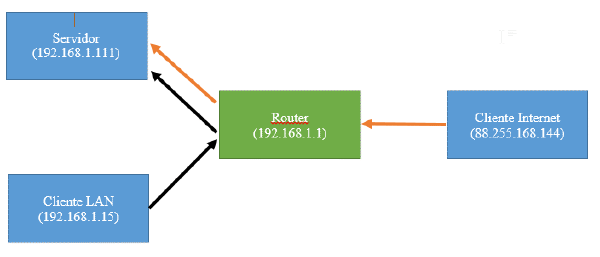
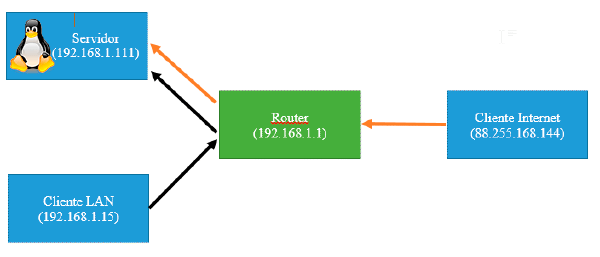
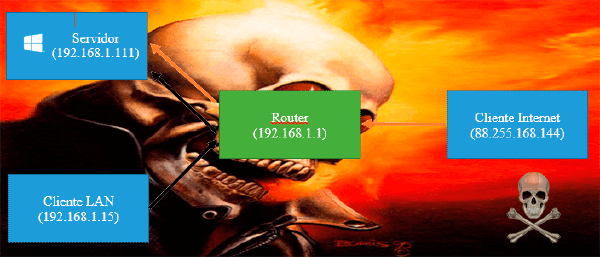
Today we start a series of tutorials to be able to turn on another Linux PC on our network, being on the same LAN or through the internet, for example a server.

The basics
#

WOL : Wake On LAN is the technology that will allow us to turn on a PC on the network remotely. WAN: Referred in this case to Wake on lan over the WWAN internet. MAC: It is the physical address of the network card, i.e. a unique identifier. Server: In this case it will be the PC that we want to turn on remotely. Client: In this case it will be the device that will send the command to the server to turn on. Steps

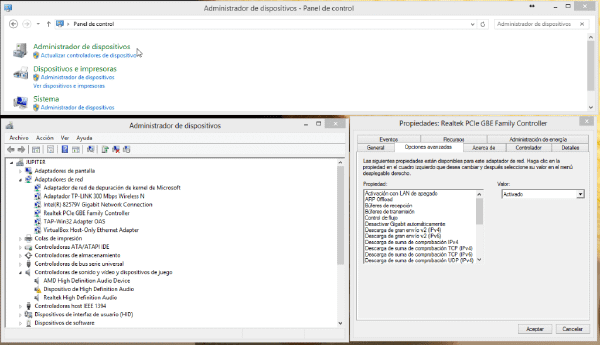
  1. Configure the server’s BIOS so that when we turn off the computer, the network card listens for a “Magic package” power on request.
    1. To do this, we will enter the BIOS by restarting the PC and pressing (DEL or F2 depending on models), as soon as we start.
    2. We’ll look for the area of the BIOS, where the power (Power) or power (BOOT) options are configured according to models.
    3. We will activate the options in which it says network, WOL, PME (Power Management Event), etc.
    4. We will save and go out with F10 normally .
    5. If you do not locate these option look for “Activate MARK BRAND_BIOS”, the BIOS mark can be located as the PC boots on the first screen that appears.
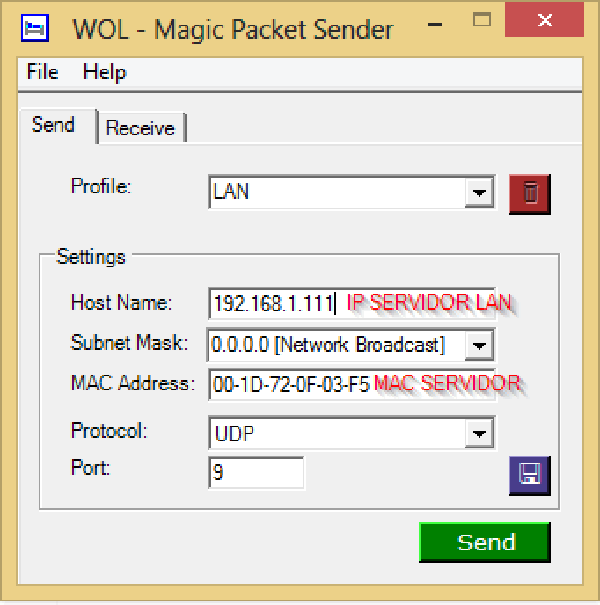
  2. We get the current IP of the PC we want to turn on and the MAC of its network interface
    1. We open a terminal

    2. We enter the command

      //Windows
      ipconfig /all
      //Linux
      ifconfig
      //Linux puerta de enlace
      netstat -nr|head -3|tail -1 |cut -d" " -f10
    3. We take the following data from our network interface, in my case eth0, as we saw earlier  VariableLinux WindowsIPOFSERVER Direc. inet: IPv4address MACOFSERVERaddressHW Physical addressINTERFACEOFSERVEReth0Ethernet Ethernet adapter:GATEWAYDefault gateway

  3. Configure router, even if we have configured with fixed IP, in this case when it is turned off, the router will assign the IP it deems appropriate, so from the MAC we will tell it that even when it is turned off, it will always assign the same IP, without taking into account the configuration of the system.
    1. This step with today’s routers can perhaps be skipped, as many of them always try to use the same MAC for the same IP, but it doesn’t hurt to make sure.
    2. Configure Static ARP Table for MAC Server .
      1. For example, on my router a Huawei HG622 from Jazztel
        1. We access the router by telnet by putting the gateway of our network in putty.

        2. Which we can consult by doing Windows button ->cmd->ipconfig/all -> and looking for “gateway” for our connection.

        3. Enter username and password that will be admin and admin

        4. Enter “sh” to enter the shell

        5. We enter the following commands that we got in the previous step

          //Primero para ver el formato en que debemos introducirlo
          arp
          //(sin comillas)
          arp "ipdelequiposervidor" "macdelequiposervidor" -s
      2. This part won’t be the same on all routers, so I recommend Googling “Assign same IP always name_router” or “fixed ARP table name_router”.

Wise note: Before, not all computers had Wake on lan, and in those that did, it was necessary to connect a cable from the network card to the motherboard, which also had to support it.

Currently all PCS incorporate this functionality
Wake on LAN - This article is part of a series.
Part 1: This Article

Related


Comentarios

  • […] WOL (Enciende tu PC remotamente) Parte 1 Introducción […]
  • […] ← Anterior Siguiente → […]
  • MatiasCG
    MatiasCG
    Buenas, gracias por tu aporte. Una pregunta, es necesario que exista un servidor? No se puede realizar un wwan si solo tengo el router y la pc que quiero encender? Saludos
    • ruben0909

      Sí claro, en este caso estoy llamo “servidor” al PC que quieres encender. En contraposición al cliente que es el que lo enciende.

      Un saludo

  • […] WOL (Enciende tu PC remotamente) Parte 1 Introducción […]
  • […] WOL (Enciende tu PC remotamente) Parte 1 Introducción […]
  • […] WOL (Enciende tu PC remotamente) Parte 1 Introducción […]
  • Jose Bonifas
    Jose Bonifas

    Hola, bo consigo asignar valor arp en router. Si se consigue, cada vez que se reinicia router se pierde el valor.

    No consigo que el pc arranque a remoto, si en la misma red.

    Un saludo.

    • Hola Jose, Al introducir el comando prueba con arp -s “ipdelequiposervidor” “macdelequiposervidor”

      Es decir, como en el post pero con la “-s” antes de la ip y la MAC.

      En caso de que tampoco funcione, siempre puedes hacer un script en bash para que se ejecute cada vez que se reinicie el router.

      Un saludo

      • Jose Bonifas
        Jose Bonifas

        Hola, Ruben, ¿como se puede hacer un script para que envie mail de notificacion?

        Un saludo.

        • Hola Jose, Pues depende un poco de cómo tengas montado el sistema. Si tu SO es un linux tendrás que hacer un script unix. Si tu SO es Windows puedes hacer un Script en Powershell. Ambos deberán ejecutarse al inicio, y enviar un email. Hay mucha información en internet sobre cómo hacer esto y aquí en el blog hay varios post que contienen scripts que hacen esto. Quizá la parte más complicada sea detectar si el pc se ha encendido mediante botón o WOL, pero ya sabés San Google es tu amigo. Quizá puedes empezar por aquí Cualquier duda me dices.
          • Jose
            Jose

            Buenas tardes, no puedo instalar el Power Shell en windows 7, ¿alguna ayuda?

            Un saludo.

  • […] Abres el puerto 32400 como se indica aquí […]
  • Lucio Macy
    Lucio Macy
    Actually when someone doesn’t understand then its up to other people that they will help, so here it happens.
  • Alena Kraegen
    Alena Kraegen
    Aw, this was an extremely nice post. Spending some time and actual effort to produce a great article… but what can I say… I put things off a lot and don’t seem to get nearly anything done.
    • Rubén Infante Docio

      Hi Alena, There are two main problems that you can have.

      1. Open the next port in the nat section of yoyr router. 6,7,8,9,11.
      2. In some computers only works if you turn off your computer properly.Not from button.
      3. Check your BIOS config. And check the instructions of your bios about that.
  • Angie O'Driscoll
    Angie O'Driscoll
    Definitely believe that which you said. Your favourite reason seemed to be at the web the easiest thing to take into account of. I say to you, I definitely get annoyed while other people consider issues that they plainly do not recognise about. You managed to hit the nail upon the highest and also defined out the whole thing with no need side effect , other folks can take a signal. Will probably be back to get more. Thanks
  • Latanya Rene
    Latanya Rene
    Hello, after reading this remarkable piece of writing i am as well delighted to share my knowledge here with friends.
  • Leonel Shipman
    Leonel Shipman
    I think the admin of this web page is in fact working hard in favor of his website, because here every material is quality based stuff.
  • Ellis Muskett
    Ellis Muskett
    Thanks for every other informative web site. The place else may just I get that kind of info written in such an ideal way? I’ve a project that I’m simply now operating on, and I’ve been at the look out for such information.
  • Houston Bellew
    Houston Bellew
    Attractive section of content. I simply stumbled upon your site and in accession capital to assert that I acquire actually loved account your blog posts. Any way I will be subscribing on your augment or even I success you get right of entry to persistently quickly.
  • Salvatore Nerli
    Salvatore Nerli
    I take pleasure in, cause I discovered just what I used to be taking a look for. You have ended my four day long hunt! God Bless you man. Have a great day. Bye
  • Sol Giffen
    Sol Giffen
    Can I just say what a relief to discover someone who genuinely understands what they are talking about on the internet. You definitely know how to bring an issue to light and make it important. More and more people ought to read this and understand this side of your story. I can’t believe you aren’t more popular because you most certainly possess the gift.
  • Whitney Walch
    Whitney Walch
    Paragraph writing is also a excitement, if you be familiar with afterward you can write if not it is complex to write.