
The Script in .bat that comes with PhoneGap to generate a new Phonegap application, seeks to have the following tools installed on the system:
Requirements:#
Java#
Buscamos una linea como .zipfile: apache-ant-1.9.2-bin.zip \[PGP\] \[SHA1\] \[SHA512\] \[MD5\]
The android SDK
NOTE:
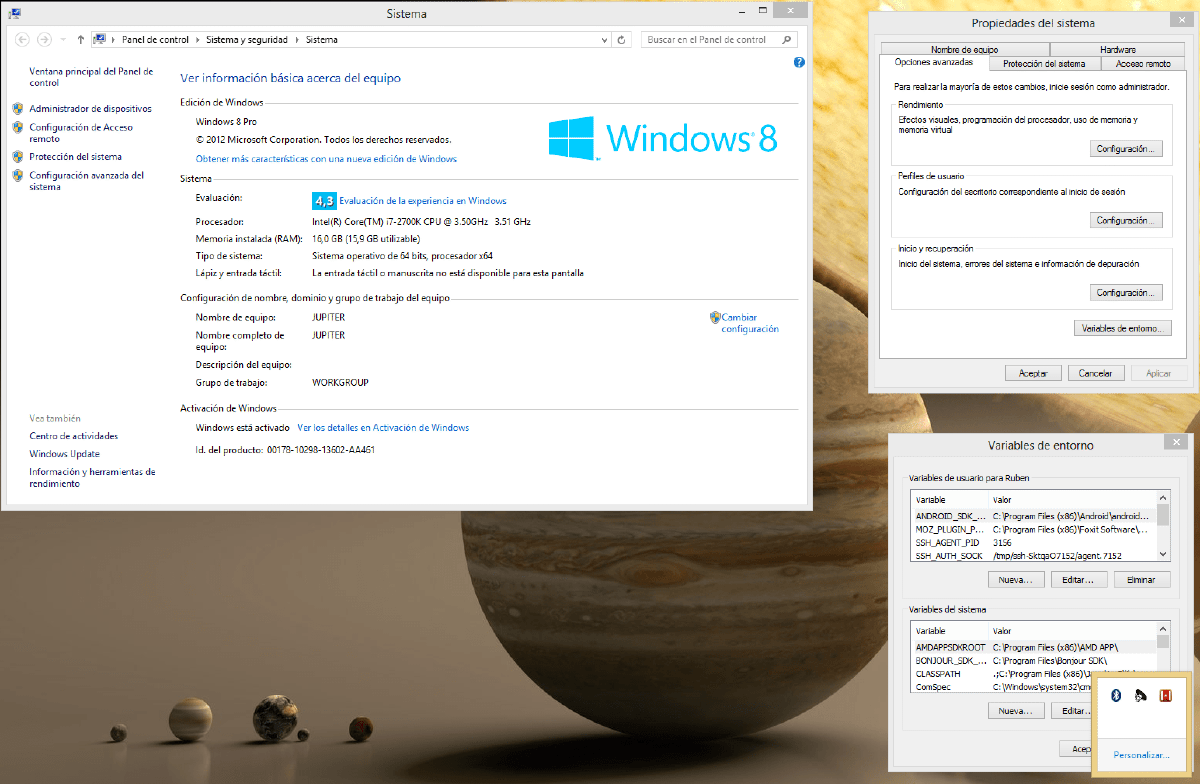
- Download the versions corresponding to our OS, we can see it in Computer->right-click -> properties (Header image)
Steps#
We download the tools
We unzip them all into a folder called Android (for example)
We install JAVA
The Phonegap generator of applications will search the Path and the JAVA_HOME variable of the system for the following files (java.exe javac.exe ant.bat android.bat) so it will be necessary to add them
Again: Computer->right-click -> properties -> Advanced System Settings -> Environment Variables -> System Variables (Header image)
If it is not created, we create the variable JAVA_HOME with value (C:Program FilesJavajre7bin) It may vary depending on OS and Java version.
- You can search for the necessary path on your PC by searching the disk for the java.exe file
Now let’s go to the Path variable that is already created
- We concatenate with ; the following entries
- ROUTE_HASTA_CARPETA_ANDROIDAndroidsdktools;
- PATH_HASTA_CARPETA_ANDROIDAndroidsdkplatform-tools;
- PATH_HASTA_CARPETA_ANDROIDAndroidapache-ant-VERSION_DE_ANT bin
- C:Program FilesJavajdk1.7.0_13lib; *
- C:Program FilesJavajdk1.7.0_13bin; *
- We concatenate with ; the following entries
Windows key -> CMD -> Go to path to PATH_HASTA_CARPETA_ANDROIDAndroidphonegap-2.9.0libandroidbin
create.bat C:pathtophonegap_project com.ejemplo.proyecto NombreDelProyectoGo to PATH_HASTA_CARPETA_ANDROIDAndroideclipse and open eclipse
File import-> Androidproject ->select folder
C:pathtophonegap_projectYou now have your basic phonegap app.
- These folders may be located elsewhere, you can search for the javac.exe file on your disk to get an indicative path.
Now we will only have to open Eclipse which is in PATH_HASTA_CARPETA_ANDROIDAndroideclipse and start programming.