Today we are going to see how to open a javascript file, using a filepicker, in javascript applications for Windows 8, and process the files individually one by one.
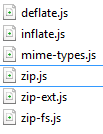
First we download the zip.js library from here these are the files we are interested in. inflate.js(compress), deflate.js (unzip)
// Creamos el objeto picker, con las opciones deseadas
varopenPicker=newWindows.Storage.Pickers.FileOpenPicker();openPicker.viewMode=Windows.Storage.Pickers.PickerViewMode.list;openPicker.suggestedStartLocation=Windows.Storage.Pickers.PickerLocationId.documentsLibrary;//Establecemos los formatos que queremos capturar
openPicker.fileTypeFilter.replaceAll([".zip",".ZIP"]);// pickSingleFilesAsync si solo queremos uno
openPicker.pickMultipleFilesAsync().then(function(file){if(file.size>0){for(vari=0;i<file.size;i++){//imaginemos que contiene ficheros de texto
file[i].openReadAsync().then(function(stream){if(myFile){//Creamos un blob del archivo zip
varblob=MSApp.createBlobFromRandomAccessStream(myFile.contentType,stream);//Para blob
zip.createReader(newzip.BlobReader(blob),function(reader){// Obtenemos los ficheros
reader.getEntries(function(entries){//Accedemos a cada fichero
entries.forEach(function(item){item.getData(newzip.TextWriter(),function(data){//"data" contiene el texto del fichero
});});});},function(error){// Error callback
});}});}}else{//Se ha presionado cancelar
}});
As we can see, in this simple way, we will be able to open zip files with zip.js and winJS.
This is applicable to text files (inside the zip), with UTF-8 encoding, soon we will see how to work with other encodings such as ISO 5598-1, ISO 5598-15 etc.